Help Center
How can we help?
Answers to the questions fans and creators ask most.
Fans
How do I join a creator’s membership?
Pick a tier on the creator’s page (glofan.co/@username) and pay. Members-only content unlocks right away.
Steps
- On the creator’s page, tap “Join Membership” or a tier’s price card.
- Choose a tier and tap “Subscribe Now”. If you’re not signed in, the sign-in window opens first.
- Once payment goes through you have access immediately. The same amount renews automatically every month.
How do I cancel a membership?
If you subscribed with Apple in the iPhone app: open iPhone Settings > your name > Subscriptions and cancel there.
For any other payment, go to My > My Subscriptions and tap “Cancel” under that membership. It’s cancelled right away.
After cancelling you keep access until the end of the period you already paid for, and you won’t be charged again.
Where can I see my current memberships?
My > My Subscriptions shows each creator’s tier, monthly price, access end date and status (Active / Cancelled). Creators you follow are listed further down on the same screen.
Where can I see my payments and receipts?
My > Orders lists every payment (memberships, products, tips) with its date, amount, status and order number.
Need a receipt? Email help@glofan.com with the order number and we’ll send it to you.
How do refunds work?
You get a full refund any time before the content or service is delivered.
For digital content (photos, videos, messages), refunds may be limited once you’ve viewed or downloaded it.
For memberships, cancelling before the next billing date stops the next charge, and you keep access for the period you paid for.
Digital items bought with Apple follow Apple’s refund policy; physical products follow the refund policy on their product page.
Send refund requests with your order number to help@glofan.com. Approved refunds go back to your original payment method within 5–7 business days.
What’s the difference between following and a membership?
Following is free and keeps you up to date with a creator’s new posts. A membership is a paid monthly subscription that unlocks members-only content and perks.
How do I turn notifications on or off?
In My > Notifications you can switch new content, live streams, messages and marketing & events on or off individually. Changes save instantly.
How do I change the language?
Go to My > Language and choose English, 한국어, 日本語 or 中文. Your choice is remembered next time.
How do I report or block content or a user?
Tap the ⋯ menu on a post or comment and choose “Report & block”. Our team reviews every report within 24 hours, and blocking hides that user’s content immediately.
How do I delete my account?
Go to My > Account Management > Delete Account. Deleted accounts can’t be restored.
Active memberships are cancelled automatically before the account is deleted. Memberships bought with Apple in the iPhone app must be cancelled separately in iPhone Settings > your name > Subscriptions.
Can I become a creator too?
Yes, and it’s free. Tap “Creator” in the bottom bar, enter the username you want (glofan.co/@username) and tap “Start Free”. Your page is created instantly.
Creators
How do I add posts, products or links to my page?
The first Studio screen (My Home) is where you edit your page. Changes save automatically.
Steps
- Tap the + button at the top of Studio.
- Choose what to add: Post / content, Product, or Add Link.
- Edit your bio with the pencil next to your name, and change your photo with the camera button on it.
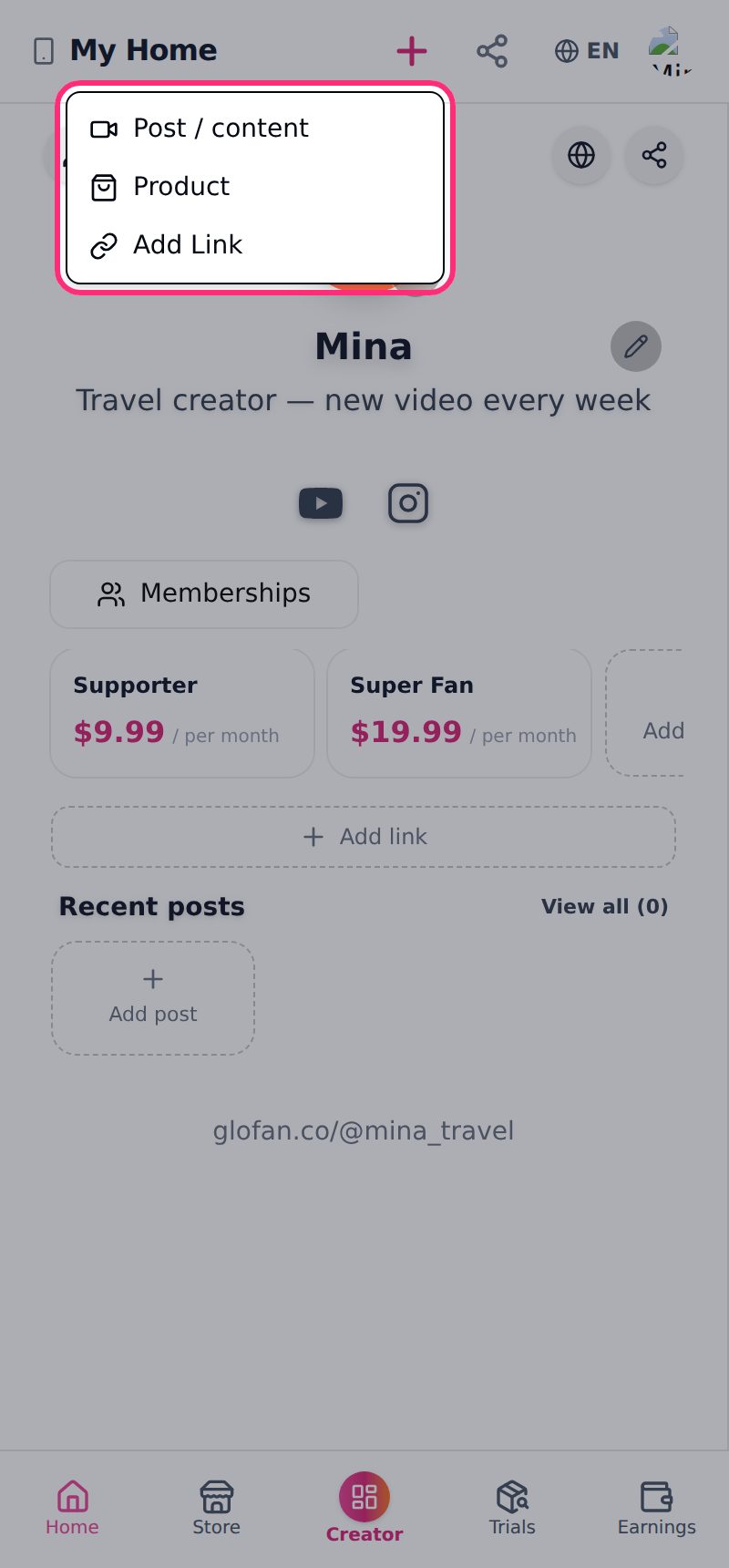
Where’s my page link and how do I share it?
Your page lives at glofan.co/@username. Tap the share button at the top of Studio. The link is copied and your page opens in a new tab. Paste it into your Instagram bio, YouTube description or stories.
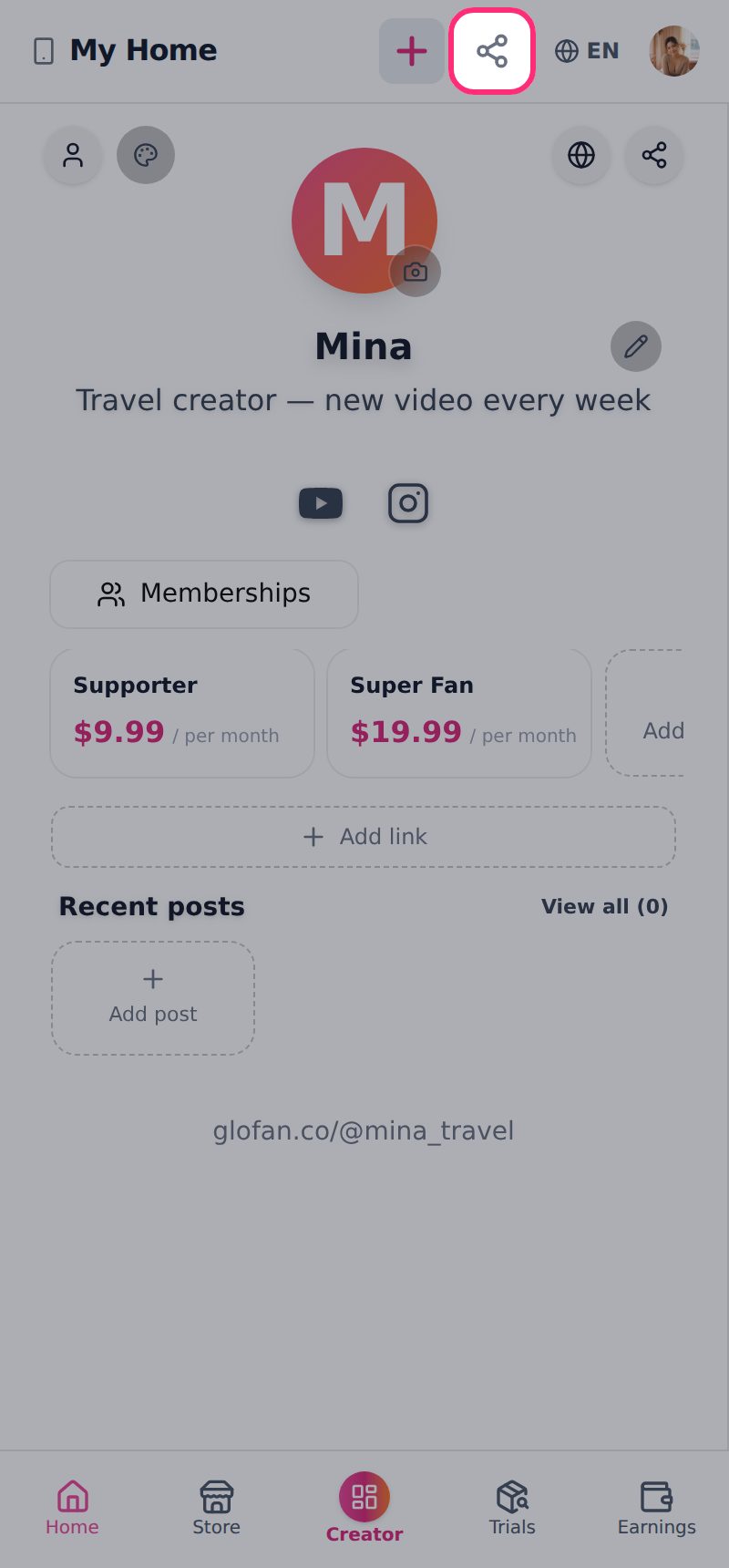
How do I create a membership?
Memberships bill fans automatically every month, so your income keeps adding up. You can create several tiers with different perks.
Steps
- In Studio, go to Store > Membership and tap “+ New Tier”.
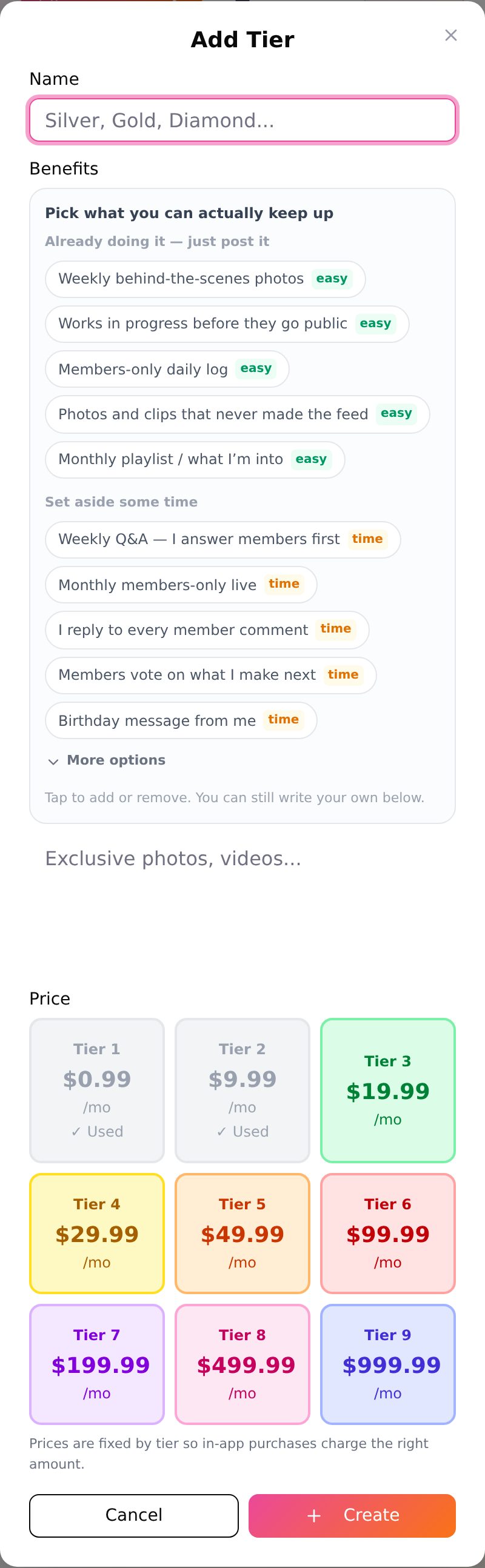
- Name the tier and pick perks, or type your own (one per line).
- Choose a price and save. It shows up on your page right away.
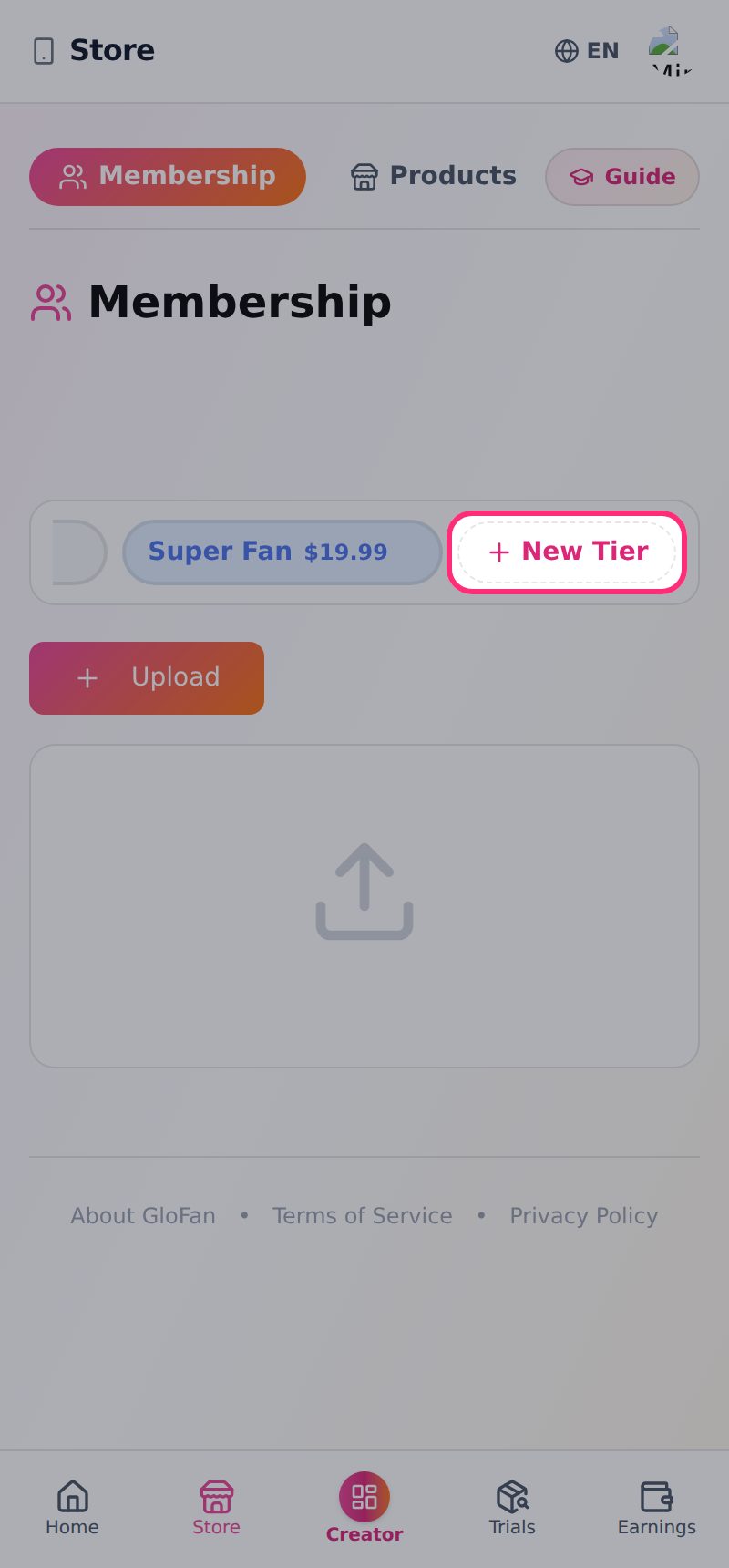
Why can’t I set any price I want for a membership?
Membership prices come in 9 fixed levels from $0.99 to $999.99, and each level can be used once. They match the prices registered for in-app purchase on iPhone, so fans can pay the same way in the app. Local-currency equivalents are shown next to each price.
How do I sell my own products?
You can sell both physical products and digital ones (files, presets and so on).
Steps
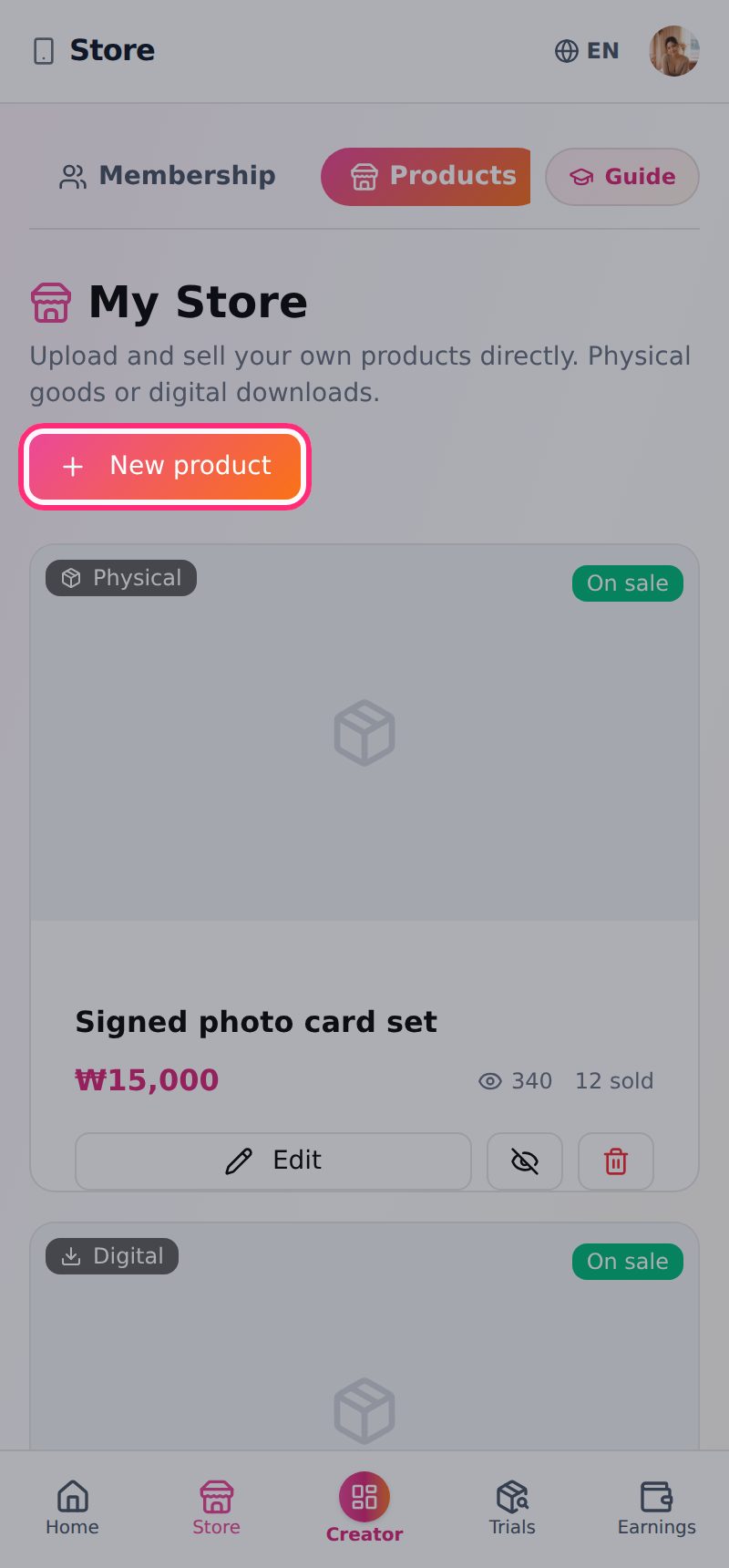
- In Studio, go to Store > Products and tap “+ New product”.
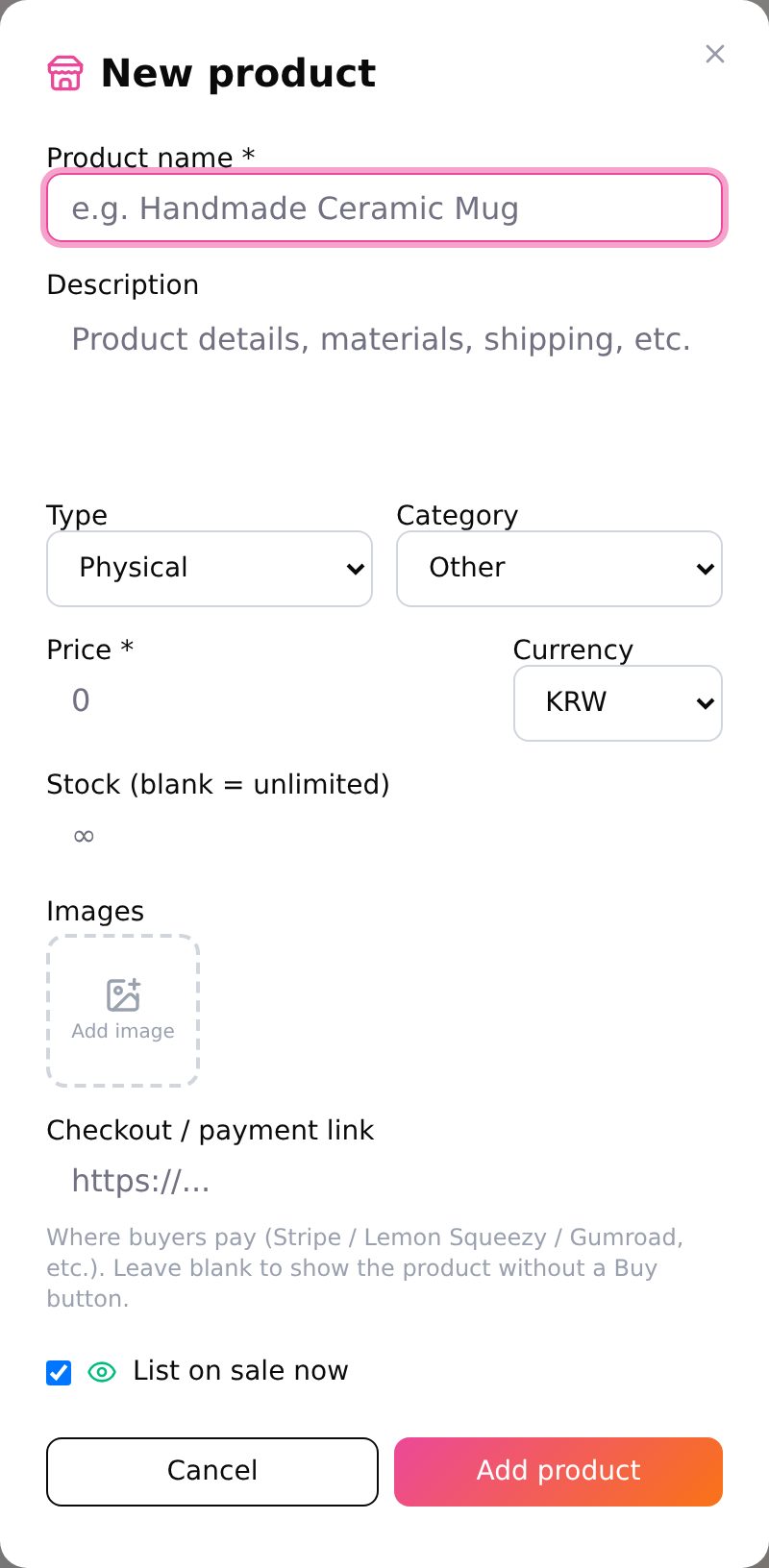
- Enter the name, description, type (physical or digital), price and currency. For physical items you can also set stock (leave empty for unlimited).
- Add images and a checkout link, then tap “Add product”. Without a checkout link, no Buy button is shown.
Can I run an online class?
Yes. In Store > Classes, tap “+ New class” and add a title, intro, level, thumbnail and lesson videos (YouTube, Vimeo, etc.). Lessons marked as preview are open to everyone; the rest are for people who paid.
How do I handle orders?
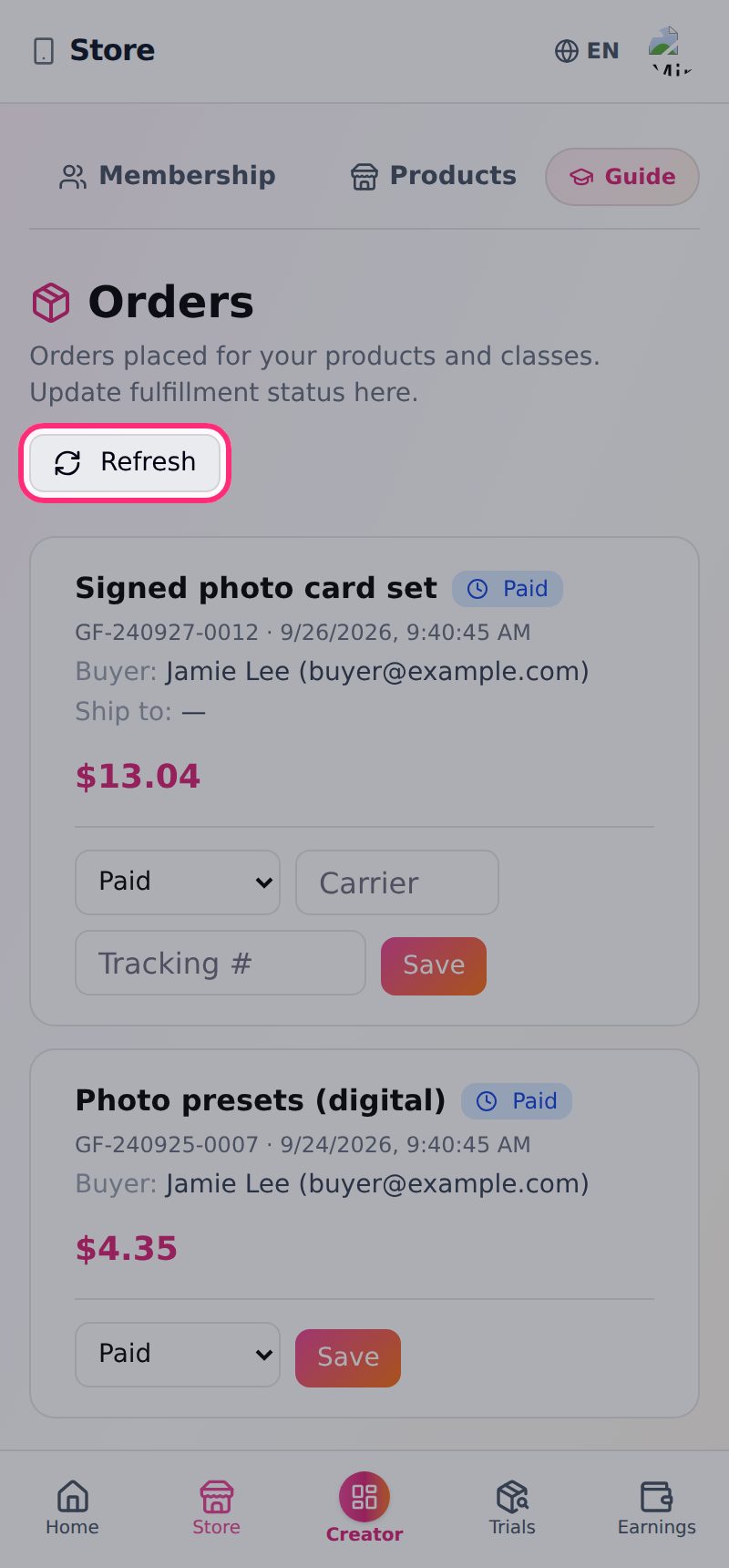
Store > Orders shows every order for your products and classes.
Steps
- Move each order through Paid → Processing → Shipped → Delivered.
- For orders that ship, enter the carrier and tracking number and tap “Save”.
- If a new order doesn’t appear, tap “Refresh”.
What are the fees? How much do I keep?
Your share of each sale goes up as your follower count grows.
0–1,000 followers: you keep 80% of each sale
1,001–10,000 followers: you keep 85% of each sale
10,001+ followers: you keep 90% of each sale
There’s no extra fee when you withdraw.
How do I withdraw my earnings?
Once your available balance reaches $50 you can request a withdrawal any time. Payouts are in US dollars and arrive within 3–5 business days.
Steps
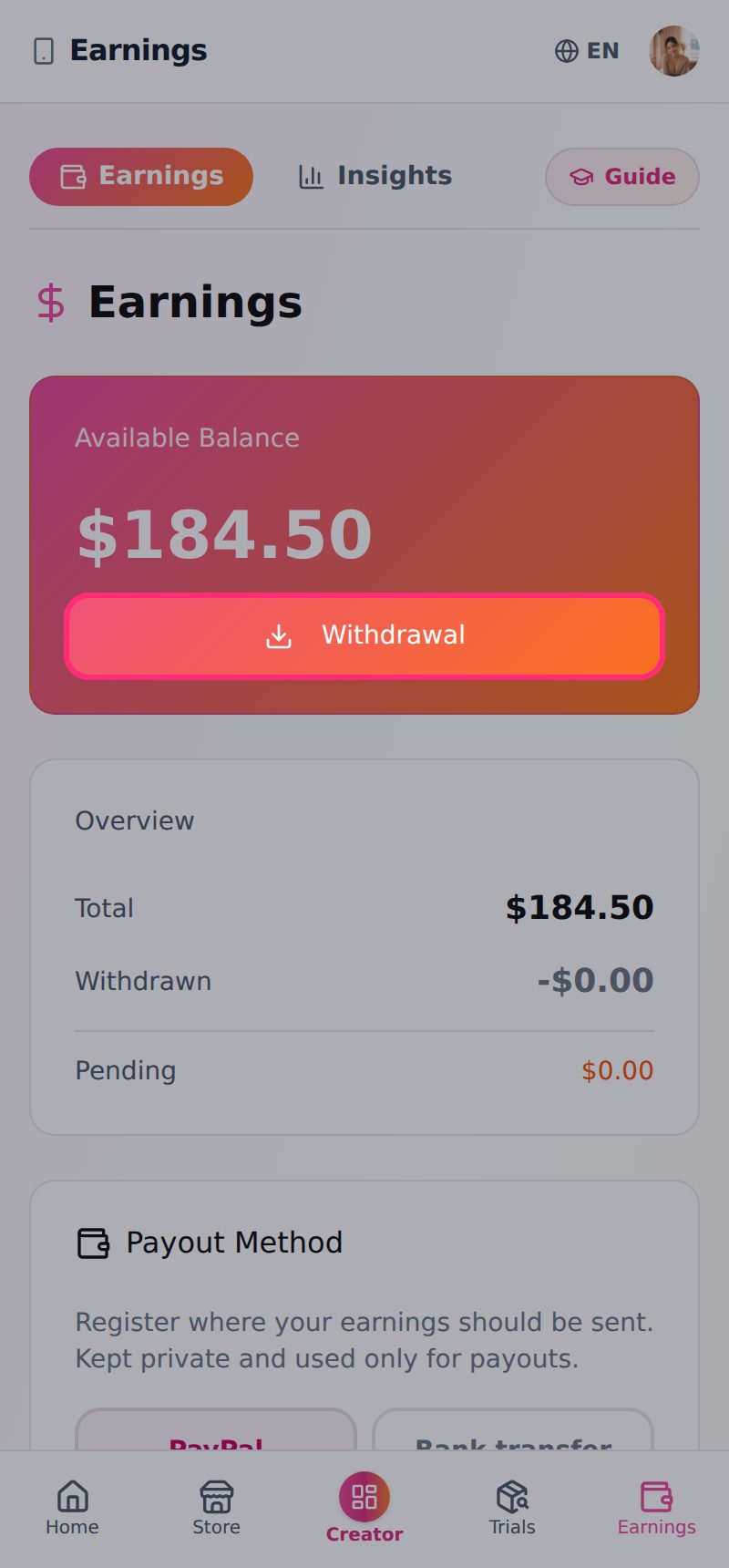
- Open the Earnings tab in Studio and add a payout method first.
- Tap “Withdrawal”, enter the amount and submit.
- Your withdrawal requests are listed further down on the same screen.
What payout methods can I use?
Add either a PayPal email or a bank account. A bank account needs the account holder, country, bank name and account number (or IBAN); add a SWIFT code for international transfers. This information is used only for payouts and stored securely.
What is the Trials tab?
Trials are product campaigns run by brands. Apply, and if you’re selected you receive the product, try it, and submit links to the content you posted (TikTok, Reels, YouTube, blog). Each submission is marked under review, approved or rejected.
Email support
A real person reads every email. Include your order number or creator username so we can help faster.
help@glofan.com